3 min read

How Liquid Damage Happens in Classrooms and Recovery Options

How Liquid Damage Happens in Classrooms and Recovery Options

A student reports their Chromebook stopped working. You pull the ticket, power it on, and it boots fine. Three weeks later it comes back dead, and the motherboard is corroded. There was a spill in the original incident that never made it into the report. This is how liquid damage usually presents in a K-12 fleet: late, ambiguous, and more expensive than it needed to be. Understanding what happens inside a device after liquid exposure changes how you triage, recover, and plan for the next incident.

Liquid Reaches Devices in More Ways Than a Water Bottle Spill

The obvious scenario is a water bottle toppling onto an open laptop, but liquid finds its way into school devices through a wider range of situations than a single spill report captures.

  • Humid storage over time is a common culprit in cart-charged environments. Devices stored in poorly ventilated charging carts overnight can accumulate enough ambient moisture to corrode contacts gradually.
  • Juice and sports drinks, which contain sugars and salts, are more corrosive than plain water and frequently cause more extensive board damage even from small-volume spills.
  • Rain exposure during transport, humid environments, and cleaning products applied directly to keyboards all introduce liquid in ways that don't get reported the same way a visible spill does.

As Frontline Education notes in its K-12 device lifecycle guide, water and spills are a persistent cause of damage in student device fleets, alongside drops and physical wear. Damage from liquid often goes undetected until a device fails or shows degraded performance weeks later.

What Liquid Actually Does Inside the Hardware

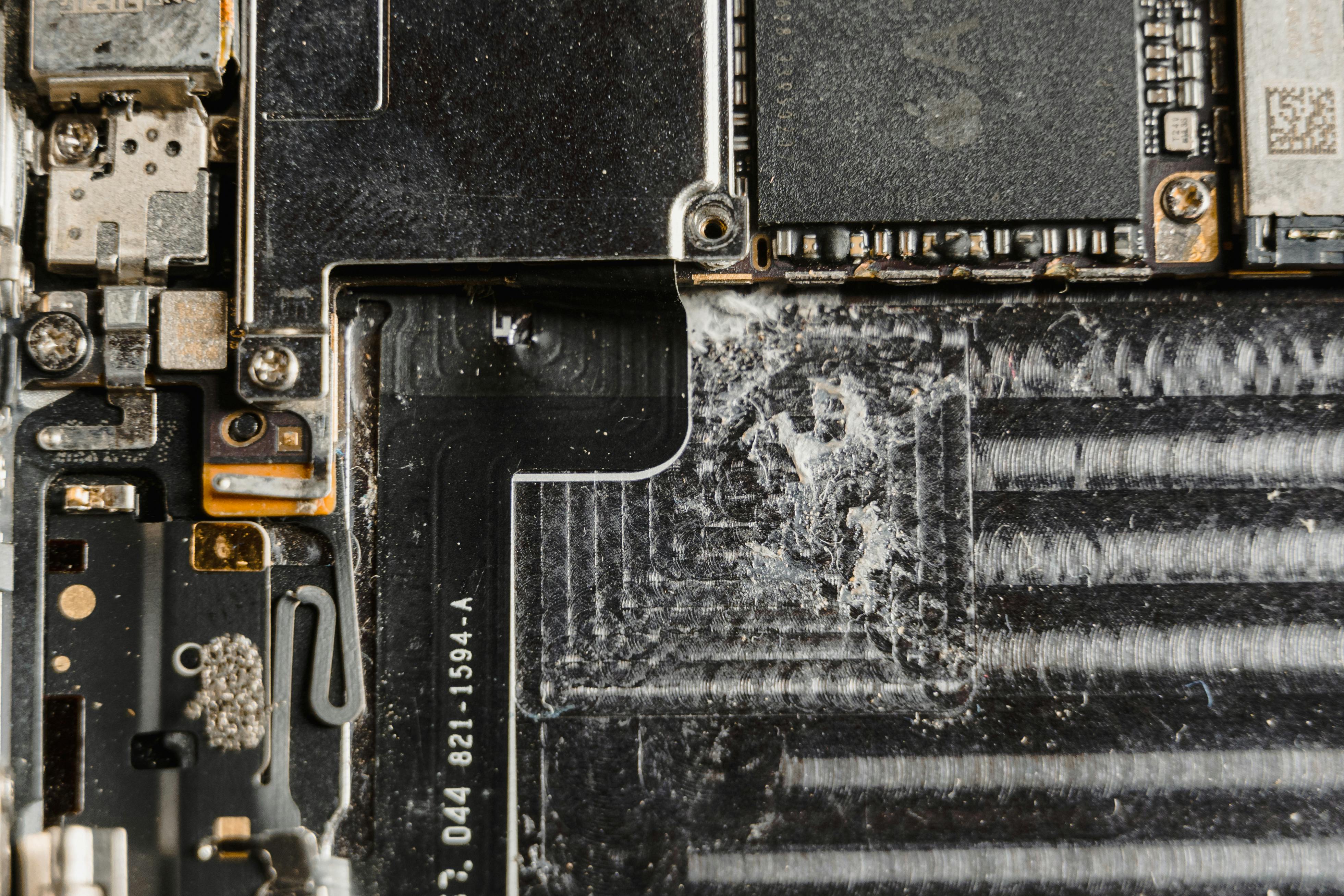
The damage mechanism matters for triage. When liquid contacts a powered circuit board, two things happen: the electrical current short-circuits across unintended pathways, which can immediately destroy components, and the liquid begins leaving mineral or sugar deposits as it evaporates. Those deposits conduct electricity unpredictably and cause corrosion on solder joints, connectors, and chip contacts.

This is why a device that "survived" a spill can start failing weeks later. The initial short may not have destroyed anything critical, but the residue continues working on the board. A keyboard that intermittently stops responding, a screen that flickers, or a charging port that only works at certain angles can all trace back to a spill that seemed minor at the time.

Chromebooks with keyboards directly above the motherboard provide a direct liquid path to the board. iPads are more sealed, but port entry and speaker membrane damage are common. Ruggedized devices slow the timeline but don't eliminate liquid damage entirely.

Triage Before You Decide Whether to Repair

A device that reaches a technician within an hour of a spill has a meaningfully better repair outcome than one that sat powered on in a student's bag for two days. Powering down immediately stops the current-driven short-circuit process, removing the battery disconnects the power source from the liquid, and absorbing surface liquid before attempting power-on reduces the chance of cascading component failure.

At the bench, the triage decision comes down to two factors: which components were hit, and what the device is worth. A two-year-old Chromebook with a corroded keyboard and minor board spotting is a repair candidate. The same Chromebook with board-level GPU or CPU damage may cost more to repair than its replacement value. Three categories cover most of what you'll see:

  • Minor exposure: liquid reached the keyboard or speaker area; the board shows no visible damage or corrosion; the device powers on normally after drying.
  • Moderate exposure: visible corrosion on board or connectors; the device powers on but shows degraded function in one or more components.
  • Severe exposure: the board shows significant corrosion or burn marks; the device does not power on; multiple components are affected.

Tracking these categories in your help desk system gives you the data to spot whether certain classrooms, cart configurations, or grade levels are generating a disproportionate number of moderate-to-severe liquid incidents.

Recovery Options Across Damage Levels

The right response depends on where the device lands in triage:

  • Minor exposure is often recoverable in-house. Thorough drying, keyboard replacement if the board is clean, and isopropyl alcohol cleaning of any visible corrosion can return a device to service without external repair.
  • Moderate exposure is where the outsource decision becomes clearest. Component-level board repair, connector replacement, and ultrasonic cleaning require equipment and time that most district IT shops don't have. Sending these to a qualified repair partner is typically faster and cheaper than in-house repair, particularly when bench time accumulates across multiple incidents.
  • Severe exposure requires a cost-versus-replacement analysis. If the motherboard needs full replacement, the repair cost often approaches the price of a comparable refurbished unit. Some districts recover partial value by harvesting undamaged components, including screens, batteries, and keyboard assemblies, for use in other repairs.

As the Incident IQ school device damage guide outlines, tracking damage severity at intake also enables more consistent fee assessment and data-driven policy decisions, which matters most when liquid incidents run high in specific grade bands.

Coverage Planning Reduces the Per-Incident Budget Hit

Unlike a cracked screen, which shows up on the bench as a discrete, predictable repair, liquid damage arrives in clusters and at unpredictable severity levels. A week with three moderate-exposure Chromebooks in a single classroom can shift a district's repair budget significantly before anyone has flagged a pattern.

Districts managing this proactively treat liquid damage as an expected, budgeted repair category rather than an emergency line item. iTurity's Protection Plans cover accidental damage including liquid exposure across your fleet, converting variable incident costs into a fixed annual per-device rate. For incidents outside a plan or in districts managing repair volume case by case, per-occurrence repair gives access to component-level repair capability without a long-term commitment.

The districts that manage liquid damage well share three things: clear triage workflows, repair partners capable of handling moderate-exposure cases efficiently, and coverage structures that keep incident costs from compounding into budget pressure. Those decisions determine whether liquid damage is a manageable operational cost or a recurring budget problem.