4 min read

Why Chromebook Charging Ports Fail So Often in Classrooms

Why Chromebook Charging Ports Fail So Often in Classrooms

Ask any K-12 IT technician which repair they see most, and charging port damage will be somewhere near the top of the list. It's not a fluke. The conditions inside a school are almost perfectly calibrated to destroy charging ports, and understanding why helps IT directors make smarter decisions about how they manage, budget, and protect their Chromebook fleets.

The Classroom Environment Is Hard on Ports

A Chromebook in a student's hands goes through charging cycles at a volume and pace that most consumer electronics aren't designed to survive. In a 1:1 take-home program, a single device might be plugged in and unplugged multiple times a day: in the morning at home, again at school, possibly a third time in the evening. Over the course of a school year, that's hundreds of insertion cycles on the same port.

Cart-based programs aren't gentler. Every time a device is loaded into a charging cart and retrieved, the port absorbs another connection event. Do that 180 days a year with 30 students rotating through a shared cart, and the cumulative wear adds up fast.

The core issue is mechanical stress. USB-C and other charge ports are rated for a finite number of insertion cycles, and schools burn through that lifecycle in a fraction of the time a typical consumer would. On top of that:

  • Students routinely plug in at odd angles, applying side force the port wasn't built to absorb.
  • Charging cords get stepped on, wedged in cart doors, or yanked out under tension, which bends pins and loosens the port's physical connection to the motherboard.
  • Younger students, especially in elementary grades, often force a connector in without aligning it correctly, which deforms the port opening over time.
  • Debris, particularly eraser crumbs, pencil shavings, and pocket lint, can pack into ports and prevent a clean connection, leading students to push harder rather than clean first.

None of this is carelessness on a grand scale. It's just what happens when a device designed for light personal use encounters six hours of daily student handling.

Why the Problem Compounds Over Time

A port that's been stressed but not yet failed is often worse than one that's clearly broken. An intermittent charging connection is easy to miss. The device shows a charging indicator, students assume it's fine, and it goes back into rotation without a ticket being submitted. By the time the battery finally won't hold charge at all, the port has usually sustained far more damage than if it had been flagged and repaired early.

This is a volume problem for IT departments. According to an EdWeek Research Center survey, more than half of district and school administrators say their district bears responsibility for device repairs or replacements, unless damage is clearly the student's fault, which means charging port failures land squarely in the IT budget regardless of how they happened. Multiply that board replacement across dozens of devices per semester, and the cost is significant.

K-12 districts nationally face annual device damage rates ranging from 8% to 25% of their entire fleet per CoSN's 2025 Sustainability Procurement Guidelines. Charging-related failures are a meaningful piece of that figure.

What Makes Chromebooks Particularly Vulnerable

Not all devices fail the same way. Chromebooks have a few design characteristics that increase charging port vulnerability in school environments.

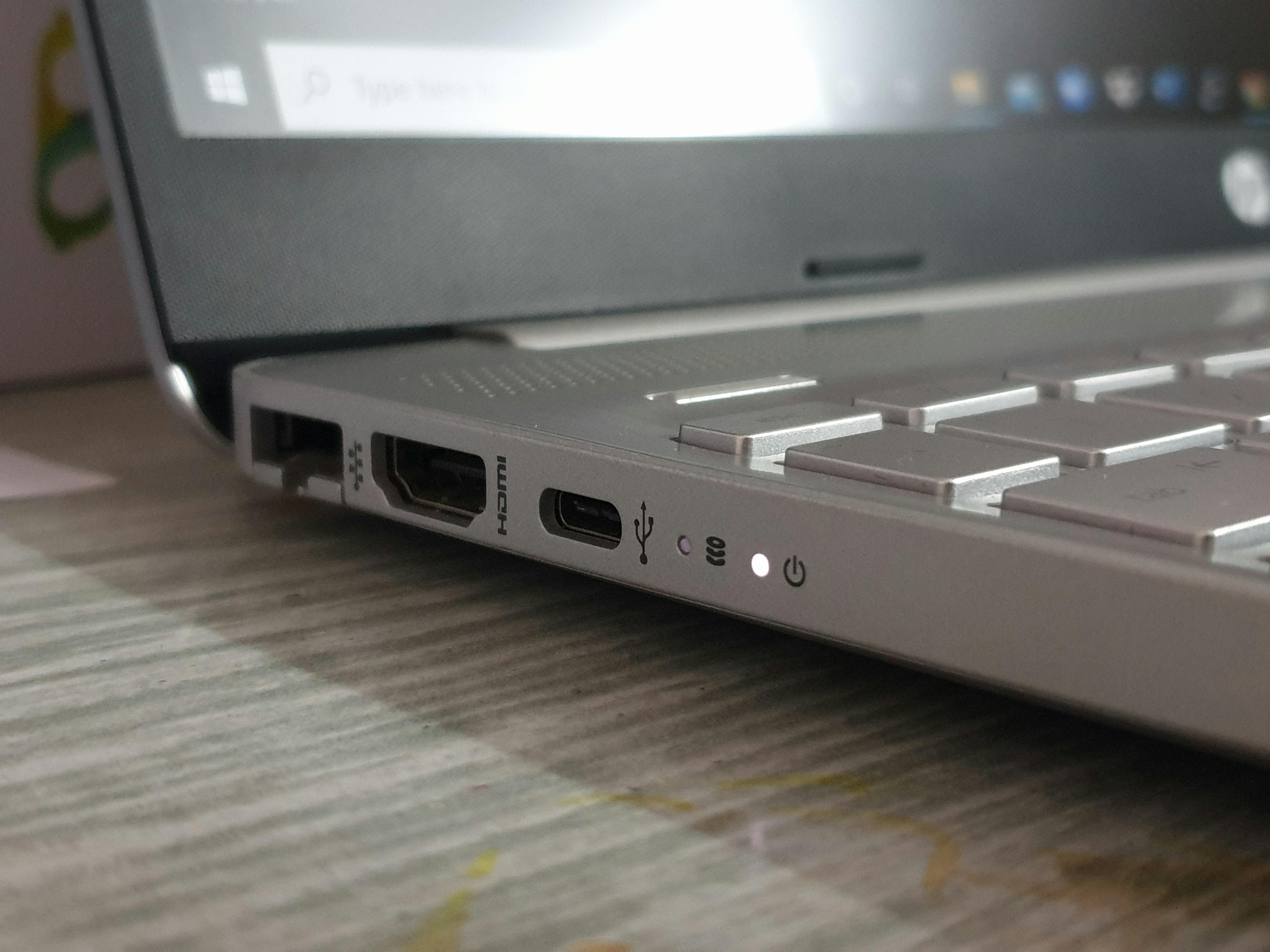
On many Chromebook models, there are two USB-C ports either on a daughterboard that connects to the rest of the device's internals by a ribbon cable, or soldered directly to the main board. Replacing daughterboards can be quick and easy, soldering ports onto the motherboard is a different story and requires a soldering station and skills that not every tech possesses.

Budget-tier Chromebooks, which make up the majority of school purchases, are also built to a cost that limits how much physical reinforcement goes into the port housing. That's a reasonable trade-off at $300 per device, but it's worth knowing when you're projecting repair volume.

USB-C specifically presents a challenge. The connector is reversible and relatively slim, which students appreciate, but the internal pin array is more complex than older barrel connectors, and misalignment during insertion is harder to notice before damage occurs.

Reducing Frequency Without Eliminating It Entirely

Port failures can be reduced but not eliminated. The goal for most IT directors is to manage frequency and catch damage early.

A few approaches consistently help:

  • Cable management in charging carts matters more than most vendors acknowledge. Cables that dangle, bunch, or get pinched in cart doors put ongoing stress on ports even when devices are supposedly charging safely. Carts with integrated cable management channels reduce this significantly.
  • Student instruction on charging technique is low-cost and underutilized. Teaching students to align connectors before applying force, and to hold the cable rather than the device when unplugging, reduces mechanical stress per-insertion. It won't eliminate damage, but it shifts the numbers.
  • Regular port inspections during routine maintenance cycles surface intermittent failures before they become total failures. A technician running a quick diagnostic on the charging connection takes seconds. Done at scale during device check-ins, it catches the borderline cases that would otherwise be returned uncharged.
  • Loaner fleet strain is a good indirect indicator of charging port failure volume. If loaner demand is spiking without a visible cause, charging issues on primary devices are often the explanation. Tracking this correlation helps IT directors get ahead of the pattern. Our post on forecasting K-12 device repair volume by enrollment walks through how to use fleet data to build more accurate repair projections.

Getting Repairs Right Without Losing Devices for Weeks

Charging port repairs are fast in the hands of an experienced technician. Swapping the daughterboard typically takes under 15 minutes. A technician with a proper solder station and new ports on hand can solder on a new port to a motherboard in less than 20 minutes. Even if you have a technician with the requisite skills and tools, buying new ports from overseas can be impossible for a business office to approve.

High-volume repair programs built specifically for K-12 workflows turn those weeks into days. iTurity's Protection Plans are structured around exactly that reality, giving districts consistent per-device coverage that absorbs charging port repairs and the full range of physical damage without per-incident negotiation or surprise costs.

For districts that need flexibility rather than a subscription model, per-occurrence repair is available at the same scale. Either way, the throughput is designed for district-level volume, not one-off consumer repairs.

Charging ports will keep failing. The environment guarantees it. But how quickly those devices come back, and how predictably the budget absorbs the cost, is something districts can control with proper planning.

The Most Overlooked Chromebook Repairs That Can Save a Device from Being Replaced

The Most Overlooked Chromebook Repairs That Can Save a Device from Being Replaced

Chromebooks are designed to be durable, affordable, and easy to manage at scale but many school districts still replace devices that could have been...
Read More
How K-12 Districts Can Extend Device Life and Delay Capital Expenditures

How K-12 Districts Can Extend Device Life and Delay Capital Expenditures

Every IT Director knows the feeling: the fleet is aging, the budget cycle is tight, and the refresh conversation is starting earlier than anyone...

Read More
Reduce Your Loaner Fleet Size by Shortening Repair Turnaround Time

Reduce Your Loaner Fleet Size by Shortening Repair Turnaround Time

If your district runs a 1:1 program, you already know the truth about loaner devices: they keep learning moving, but they also strain budget,...

Read More